

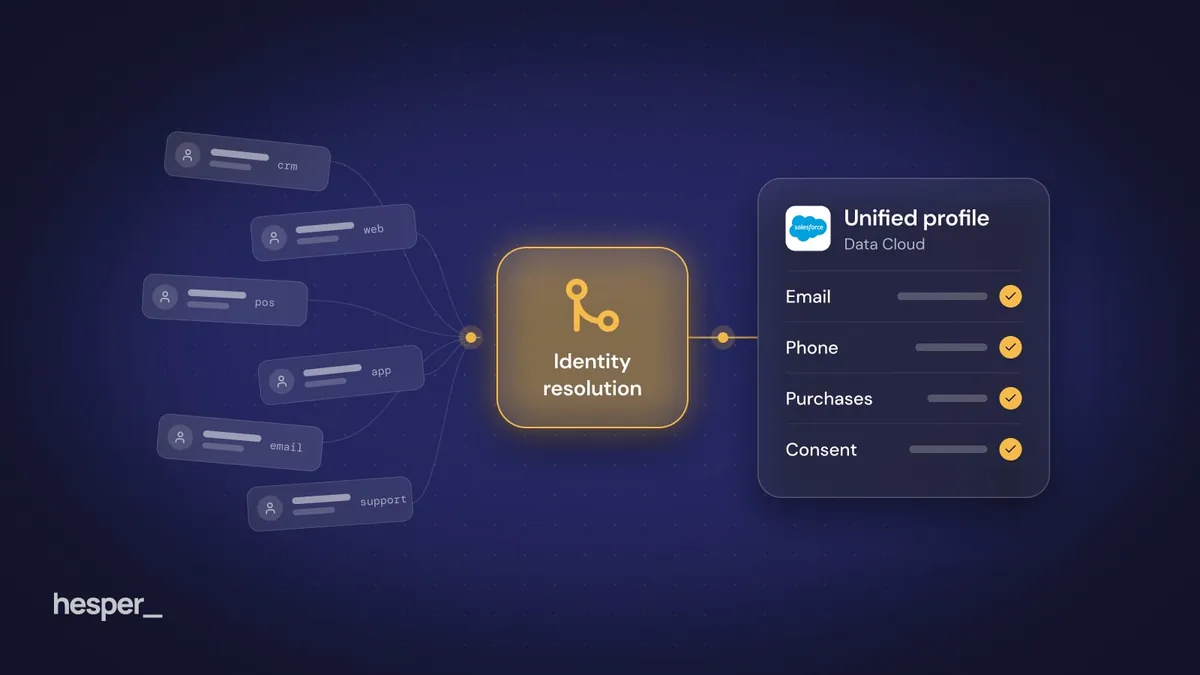
Salesforce Data 360, the platform most teams still call Data Cloud (Salesforce renamed it in October 2025), is where your customer data gets unified so marketing, sales and service can act on it. It also powers Marketing Cloud Next, so more teams are setting it up now than ever before.
The part everyone wants to reach is activation: publishing a segment to a journey, a flow or an ad platform. But the quality of every segment depends on work done long before that. When a segment comes back with half the expected audience, or with the same person counted three times, the cause is almost never the segment itself. It is a data stream, a mapping or an identity rule that was set up in a hurry.
This article walks through the readiness work we do before a client activates anything. It ends with a checklist you can use on your own org.
Why readiness comes before activation
Data 360 is unforgiving in one specific way: some early choices are hard or impossible to change later. A data stream’s category is fixed once it is saved. An identity resolution ruleset’s ID is permanent. Rebuilding those means re-ingesting and re-mapping data, which costs time and, because Data 360 processing consumes credits, money.
Readiness is also about trust. Once a marketer sees a segment count that doesn’t match reality, they stop using the tool and go back to spreadsheets. We covered that dynamic in why data correctness drives conversions. Data 360 doesn’t remove the problem. It amplifies whatever quality you feed it.
Inventory your sources before you create data streams
A data stream is how data enters Data 360. Each one lands in a data lake object (DLO), a raw storage container for that source. Before creating any streams, list every source you plan to bring in and answer three questions for each:
- What does a row represent? A person, an event (an order, a click, a ticket) or reference data (products, stores).
- What is the unique key? Every source needs a stable identifier, such as a CRM Contact ID or an order number.
- Who owns it? Someone has to answer when a field changes or a feed breaks.
Choose the category deliberately
Every data stream gets a category: Profile, Engagement or Other. Salesforce’s documentation is explicit that you can’t change the category after saving the stream.
Engagement streams also need an event time field, which can’t be edited after setup either. Pick a date that never changes, such as the order date or the click timestamp. A field like “last modified date” changes often and creates duplicate records. If a time-based dataset has no stable date, Salesforce recommends the Other category instead.
Map to the data model on purpose
Mapping connects the fields in your DLOs to the standard Customer 360 data model. The result is data model objects (DMOs), such as Individual, Contact Point Email and Sales Order. Starter bundles for Salesforce sources often arrive pre-mapped. Custom sources need manual mapping, and this is where most problems start.
The mappings identity resolution needs
Identity resolution only works if the right objects are mapped. Per Salesforce’s mapping requirements:
- Individual must be mapped, including its primary key, for every stream that carries customer data.
- At least one contact point object (email, phone, address or app) or Party Identification must also be mapped.
- Contact point and Party Identification records link to the person through their Party field, which maps to the Individual ID.
Party Identification is how you match on your own identifiers, such as a loyalty number or a customer ID from your ecommerce platform. Give each identification name and type a clear, descriptive label. Your match rules will refer to them later.
Use fully qualified keys
When several sources use overlapping ID formats, Data 360 uses fully qualified keys: a source key plus a key qualifier that names where it came from. Configure key qualifiers on every key field. If you skip this step, a CRM record and a support-tool record that happen to share an ID can be treated as the same thing.
Design identity resolution rulesets
Identity resolution turns many source records into one unified individual. A ruleset has two parts.
Match rules: who is the same person?
A match rule is a set of criteria that must all be true for two profiles to match. For example: exact normalized email and fuzzy first name. You can have several match rules, and a pair of profiles that meets any one of them is merged. Matching methods include exact, fuzzy (for example on first name) and normalized (email, phone and address are cleaned up before comparing).
More rules raise the consolidation rate. Fewer rules lower it. Neither is automatically better:
- Too loose, and different people get merged. Shared family emails, generic inboxes like info@ and placeholder phone numbers are the usual cause.
- Too strict, and the same customer stays split across sources. Your counts will be inflated and personalization will be thin.
Start with high-confidence rules, such as an exact match on a strong identifier or an exact normalized email plus name. Review the results, then loosen carefully.
Reconciliation rules: which value wins?
When unified sources disagree on a single-value field, like first name, reconciliation rules decide which value the unified profile shows. The options are Last Updated, Most Frequent and Source Priority. You set a default per object and can override it per field. Reconciliation doesn’t alter your source data. The unified profile also keeps every unique contact point from every source, so you don’t lose a secondary email.
Source Priority is usually the right choice for core profile fields. Decide which system is the source of truth for names, addresses and preferences, and write that down before you configure anything.
Allow for processing time
Per Salesforce’s training material, the first unified profiles appear within 24 hours of publishing a ruleset, and later rule changes are processed daily. Plan your testing around that cycle rather than expecting instant results.
Treat consent as data
Data 360 has its own consent data model. It includes contact point consent (whether this email address may be contacted for a given purpose), data use purposes (such as marketing or billing) and communication subscriptions (such as a newsletter). If you use Marketing Cloud Next, its consent model also lives in Data 360. At the time of writing, Salesforce’s adoption guide for Engagement customers notes that this consent doesn’t automatically sync with Sales Cloud, Service Cloud or Marketing Cloud Engagement out of the box, so confirm how consent is shared between clouds in your org.
In practice, that means:
- Decide which system is the source of truth for opt-ins and opt-outs.
- Map consent explicitly. Don’t assume a checkbox on the CRM Contact carries over.
- Make sure every segment you activate for marketing respects consent. Excluding opted-out contact points shouldn’t depend on someone remembering to add a filter.
Data quality checks that pay off
A few checks catch most issues before they reach a segment:
- Format consistency: emails in lowercase, phone numbers in one international format, country values from one list.
- Placeholder values: “[email protected]”, “N/A” and “0000000000” match everything if nobody filters them out.
- Null rates on key fields: if most rows in a source have no email and no ID, that source can’t contribute to identity.
- Record counts per stream: compare them with the source system after each refresh. A sudden drop usually means a broken feed, not lost customers.
Common mistakes that make segments unreliable
These are the patterns we see most often when a client asks why their Data 360 segments “look wrong”:
- A changing event time field on an engagement stream, which creates duplicate events and inflated counts.
- Missing Individual or Party mappings on a source, so its records never join a unified profile.
- Matching on low-quality emails or phones, which merges unrelated people into one profile.
- Segmenting on the wrong entity. Segments can target individuals or unified individuals. Mixing the two across campaigns makes counts impossible to compare.
- No owner for reconciliation decisions, so a stale address from an old system wins over the CRM.
- Consent left for later, which turns activation into a compliance risk.
- Mixing business units or brands in one data space without meaning to. Data spaces exist to keep data separate, and merging them by accident is tedious to undo.
A Data 360 readiness checklist
Before you activate your first segment, you should be able to tick every line:
- Every source is listed with its row meaning, unique key and owner.
- Each data stream’s category and event time field have been chosen on purpose and documented.
- Individual, contact point and Party Identification mappings are complete for every customer source.
- Key qualifiers are configured on all key fields.
- Match rules start strict, and their results have been reviewed on a sample of real records.
- Reconciliation rules follow a documented source-of-truth decision for each core field.
- Consent sources are mapped, and marketing segments exclude opted-out contact points by default.
- Placeholder and test values are filtered out.
- Segment counts have been checked against a known number from the source system.
- Data spaces match how your business units and brands should be separated.
Getting help with the foundation
This groundwork isn’t glamorous, but it decides whether Data 360 becomes the reliable center of your marketing or another tool your team works around. Our team includes a Salesforce Certified Data Cloud Consultant, and readiness reviews like this are a core part of our Data Cloud practice. If you’d like a second pair of eyes on your data streams, mappings or identity rules, get in touch with our team.
Get the foundation right, and activation becomes the easy part.