

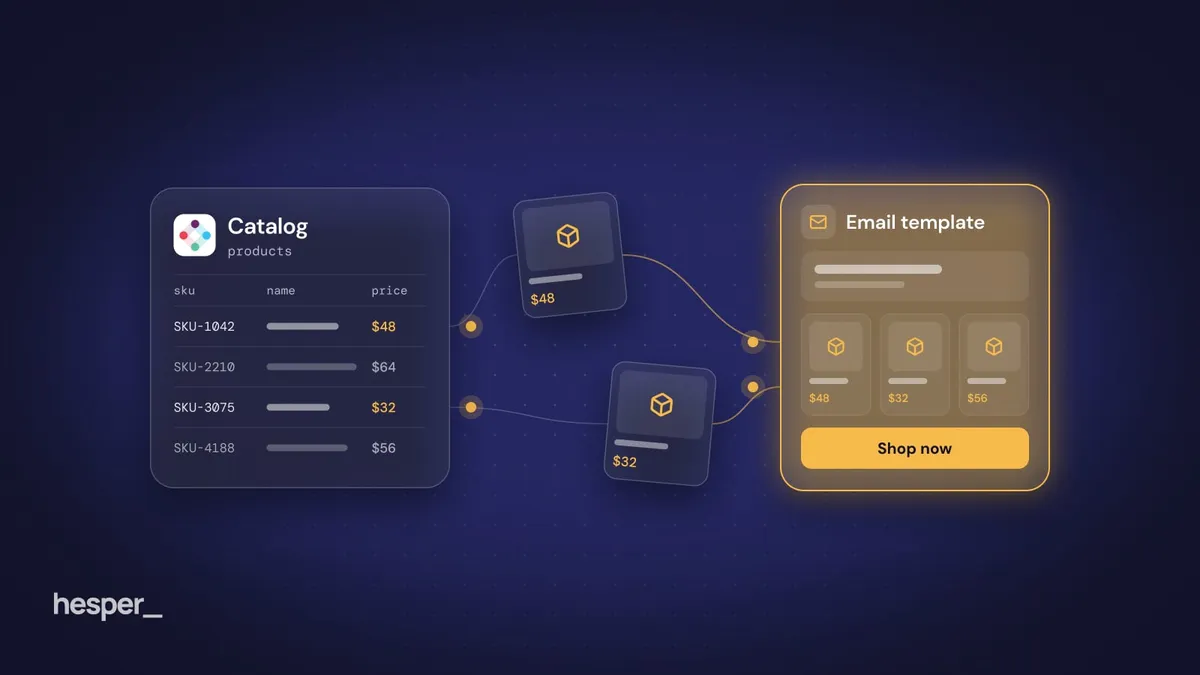
A product email is only as good as the product data in it. Show a price that changed yesterday, or recommend something that sold out this morning, and the message works against you.
Iterable Catalogs solve this by storing your product, location or content data inside Iterable, where templates can read it at send time. Instead of hard-coding products into each campaign, you keep one catalog up to date, and every template pulls the right items for each recipient.
This guide covers how Catalogs work, how to design and sync them, how to reference them in templates with Handlebars, and the mistakes that cause wrong or missing content.
What Catalogs are
The feature has three building blocks:
- A catalog is a set of related items, such as Products, Stores or Articles. A project can have many catalogs.
- A catalog item is one record in that catalog, stored as JSON and identified by a unique key, such as a SKU.
- A collection is a saved search over one catalog. It can use static criteria (“price under 50”) and dynamic criteria that compare catalog fields to values on the recipient’s profile (“category matches the user’s favorite category”).
Templates then use Handlebars helpers to look up items directly or to embed a collection.
Iterable hosts the data and queries it while sending. That is the main difference from data feeds, Iterable’s other option for external content. A data feed calls a web service you host, at send time. Catalog data lives in Iterable, so there’s no extra infrastructure on your side. Catalog is an add-on, so if it isn’t in your account, Iterable asks you to contact your customer success manager.
Design the schema before you upload
Catalog decisions are harder to undo than most Iterable settings, so we design the schema first.
Keys and names
- Item keys may contain only letters, numbers and dashes, up to 255 characters, and must be unique within the catalog. A key like
SKU-1042works.sku_1042doesn’t, because underscores aren’t allowed. - Catalog names follow the same character rules, must be unique, and can’t be renamed later.
- Field names can’t contain periods. A field named
price.salecan’t be given a data type.
Field types
Each field gets an explicit data type: string, long, double, boolean, date, object or geo_location. Iterable documents limits that shape the design:
- Collections can only search typed fields. You can skip typing when you upload items, but collections won’t be able to filter on those fields.
- Typing late means re-uploading. Collections can only search data created after a field’s type was defined. Data uploaded earlier must be re-created or re-uploaded.
- Types can’t be changed once assigned, and the same field must have the same type on every item.
- Nested object fields can’t be collection criteria. Keep anything you’ll filter on, such as
price,inStockorcategory, at the top level. - Each catalog allows up to 350 fields, and each item must be under 30 KB.
You can define types through the API with PUT /api/catalogs/{catalogName}/fieldMappings, even before any data exists. We do this first on every catalog, so types never depend on whoever uploads the first file.
A typical product item looks like this:
{
  "name": "Merino Beanie",
  "category": "Accessories",
  "price": 32.0,
  "inStock": true,
  "stockCount": 14,
  "imageUrl": "https://cdn.example.com/products/sku-3075.jpg",
  "url": "https://shop.example.com/products/merino-beanie"
}
Keep catalogs in sync
A catalog is only useful if it matches your source of truth. Iterable offers three ways in, and they behave differently.
- CSV upload in the web interface handles up to 1,000 items per file, with only string, date, boolean, double and long fields. Each row replaces the whole item, so a column you leave out is deleted from that item.
- Bulk create through the API (
POST /api/catalogs/{catalogName}/items) accepts up to 1,000 items per request. If an item with the same key already exists, it’s completely overwritten. - Single-item updates through the API come in two forms.
PATCH /api/catalogs/{catalogName}/items/{itemId}updates only the fields you send and leaves the rest.PUTreplaces the whole item.
For a product catalog, we usually combine them:
- A full sync of complete product records from your ecommerce platform or PIM on a schedule, using bulk create.
- Incremental
PATCHupdates for fast-changing fields, such asprice,inStockandstockCount, triggered when they change in the source system. - Deletes (
DELETE /api/catalogs/{catalogName}/itemsfor bulk) when products are discontinued, so they can’t be recommended.
Catalog write calls are asynchronous: a 202 response means the request was received, not that the item has been updated. Build monitoring that compares item counts and a sample of prices with the source system.
When a data feed fits better
If a value must be correct to the minute and changes constantly, a data feed may be the better tool, because Iterable fetches it at send time. Data feed fields use double square brackets, such as [[price]], unless you enable the template setting that merges them with user data. The optional template cache keeps a response for one hour, which is useful for shared content but wrong for per-user data. For most product data, a catalog with incremental updates is simpler and puts no load on your servers during sends.
Reference catalog data in templates
Iterable gives you three Handlebars helpers. All three work only in message templates.
Look up one item with #catalog
Use #catalog when you know the key, either hard-coded or stored on the user profile or the triggering event:
{{#catalog "Products" lastViewedSku as |product|}}
  {{product.name}} is now {{numberFormat product.price "currency"}}.
{{else}}
  Take another look at this week's new arrivals.
{{/catalog}}
If the field or the item can’t be found, the {{else}} block renders instead. Add required=true when it’s better not to send at all than to send without the item.
Look up several items with #catalogKeys
#catalogKeys takes an array of keys from the profile or event, such as recently viewed products, and returns an array you can loop over:
{{#catalogKeys "Products" recentlyViewed as |products|}}
  {{#each products}}
    {{#if this.inStock}}
      {{this.name}}: {{numberFormat this.price "currency"}}
    {{/if}}
  {{/each}}
{{/catalogKeys}}
Keys with no matching item return nothing. A misspelled profile field name throws an error.
Embed a collection with #catalogCollection
Build the collection in the Collection Builder, then click Use In Template to get its snippet:
{{#catalogCollection "InStockUnderBudget" as |collection|}}
  {{#each collection}}
    {{name}}: {{numberFormat price "currency"}}
  {{/each}}
{{/catalogCollection}}
A collection returns at most 50 items. Use the builder’s ordering and Items to Return settings to keep it to what the template shows. If a collection fails or returns nothing, Iterable skips the expression and still sends the message, unless you set required=true, in which case the message isn’t sent. Decide this per template: a newsletter can lose a block, but a “products under your budget” email without products shouldn’t go out.
Recommendation and inventory use cases
The pattern is always the same: the profile or event says who and what they care about, and the catalog provides the current details.
- Browse and cart reminders. Store the viewed or carted SKUs on the event, look them up with
#catalogKeysand show only items that are still in stock, at today’s price. - Recommendations from your own model. If a recommendation engine writes a list of SKUs to each profile, Catalog turns those keys into images, names and prices at send time. The model chooses, and the catalog keeps details current.
- Rule-based recommendations. A collection can find in-stock items in the recipient’s favorite category, under their usual price point, sorted by a field such as popularity.
- Price-drop and back-in-stock messages. Compare the price stored on the event with the current catalog price, or check
inStockbefore inviting someone back. - Local inventory and stores. With a geo_location field, a collection can find stores or items near a location on the recipient’s profile.
Catalog data can also be used in segmentation, through the Matches Catalog Data option, to find users whose behavior matches catalog attributes.
Pitfalls we see most often
- Untyped fields that collections silently can’t search, discovered only after a full upload.
- Partial updates sent as full replacements. Sending only
pricewith bulk create orPUTdeletes every other field on the item. UsePATCH. - Keys that don’t match. The SKU format on events must match the catalog key exactly, including case, because keys are case-sensitive.
- Nested filter fields, such as
pricing.saleinside an object, which collections can’t use as criteria. - No fallback. Without an
{{else}}block or arequired=truedecision, failed lookups render as empty space. - Stale catalogs with no monitoring, which recommend discontinued products for weeks.
- Ignoring usage. Iterable tracks catalog lookups and collection references on the Usage and Billing page. Check how they count against your plan before a high-volume launch.
When to bring in help
Catalog and Handlebars personalization is a regular part of our Iterable work, from schema design to template review. If you’d like help designing a catalog schema, wiring up the sync or building templates that stay accurate, reach out to our team.
When the catalog is right, every template that reads from it is right too.